
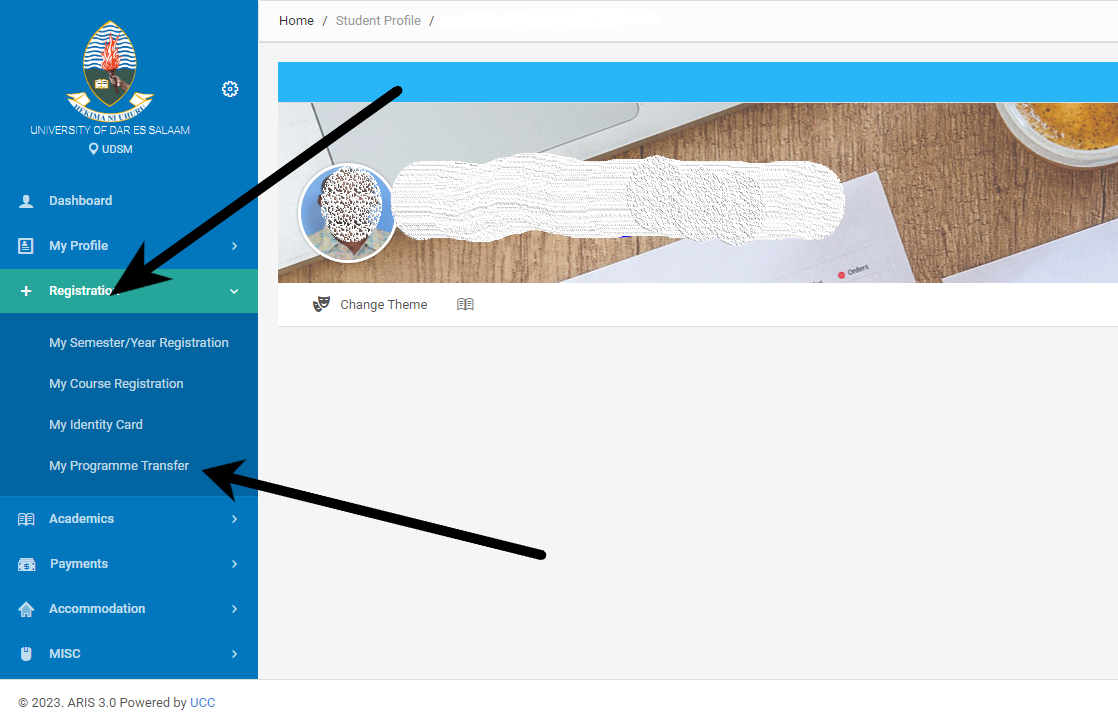
The ARIS 3 UDSM portal is the University of Dar es Salaam’s all-in-one academic management system. It brings together course registration, payments, results, transcript requests, and more in a unified interface. This guide compiles what current students actually use in the system and explains each step in detail to help you navigate it confidently and avoid common mistakes.
Table of Contents
- Overview: What Is ARIS 3 UDSM?
- Getting Started: Account Creation & Login
- Core Features: Registration, Payments, Results & Transcript Requests
- Supported Payment Methods & Generating Control Numbers
- Best Practices & Troubleshooting
- FAQs
1. Overview: What Is ARIS 3 UDSM?
ARIS 3 (Academic Registration Information System version 3) is the centralized digital platform for UDSM students. It consolidates academic records, financial information, course enrollment, exam results, transcript processing, and university announcements under one virtual roof—acting as your academic command center.
2. Getting Started: Account Creation & Login
a) Signing Up
First-time users access the ARIS 3 portal and complete a registration form with personal and student details. Once submitted, the system activates an account for future access.
b) Logging In
Once registered, use your chosen username and password to log in. If you forget your password, a “Forgot Password” option guides you to reset it safely. The login interface also reminds you about the portal’s terms and conditions and privacy policies.
3. Core Features: Registration, Payments, Results & Transcript Requests
ARIS 3 offers several essential student functions through a clean, integrated interface:
- Course Registration — Enroll in semester courses, edit selections, and monitor registration status.
- Exam Results & Academic Records — View your exam scores and overall academic performance.
- Financial Overview — Check tuition balances, see outstanding payments, and access fee statements.
- Transcript Requests — Submit and track official academic transcript applications online.
- Personal Information & Announcements — Update your contact details and stay informed about university notices.
4. Payments & Control Numbers
a) Supported Payment Methods
The system supports multiple mobile money platforms popular in the region, such as M-Pesa, Airtel Money, Tigo Pesa, and Halo Pesa. These options make paying fees quick and convenient.
b) Control Number Generation
To complete mobile payments, ARIS 3 lets you generate a unique control number—a payment reference specific to your account. Input this number into your mobile money app when making a payment. The portal then automatically confirms your payment and updates your records.
5. Best Practices & Troubleshooting
a) Manage High Traffic Times
The portal often experiences slowdowns during peak periods like course registration or result announcements. To avoid delays, access the portal early in the morning or later in the evening. If pages are slow to load, try refreshing or returning after a few minutes.
b) Use Modern Browsers
For reliable performance, stick to updated browsers like Chrome, Firefox, or Opera. Using outdated browsers may result in compatibility issues or incomplete page rendering.
c) Keep Personal Details Updated
Ensure your phone number, email address, and other contact details are current. If official changes are needed, reach out to the university’s administration to update your records.
d) Know the Portal Policies
ARIS 3 operates under established user agreements and privacy guidelines. Using the system responsibly—and in line with its terms—protects your access and data.
6. Frequently Asked Questions (FAQ)
- How do I sign up for ARIS 3 UDSM for the first time?
Access the portal and fill out the registration form precisely as instructed. - What should I do if I forget my password?
Use the “Forgot Password” feature to reset it via your registered email. - How do I generate a control number for mobile payments?
Log into the portal, find the payment or control number section, and generate one. Use it in your mobile money app when paying. - Which mobile money platforms are supported?
You can make payments via M-Pesa, Airtel Money, Tigo Pesa, or Halo Pesa directly through the portal. - What steps can I take if the portal is slow or unresponsive?
Try again during off-peak hours, refresh the page, or wait a few minutes before retrying. - Can I update my personal information directly through ARIS 3?
Some data, like contact details, can be changed within your account; other updates may require administrative support. - Which browsers are recommended for ARIS 3 access?
Use current versions of Chrome, Firefox, or Opera for best results.
Conclusion
ARIS 3 UDSM is your digital academic hub—streamlining course registration, fee payments, exam results, transcripts, and more. Understanding how each feature works and following best practices ensures you navigate your academic tasks smoothly. Need support with registration strategies, payment workflows, or troubleshooting? Just ask—I’m here to help!