
Introduction
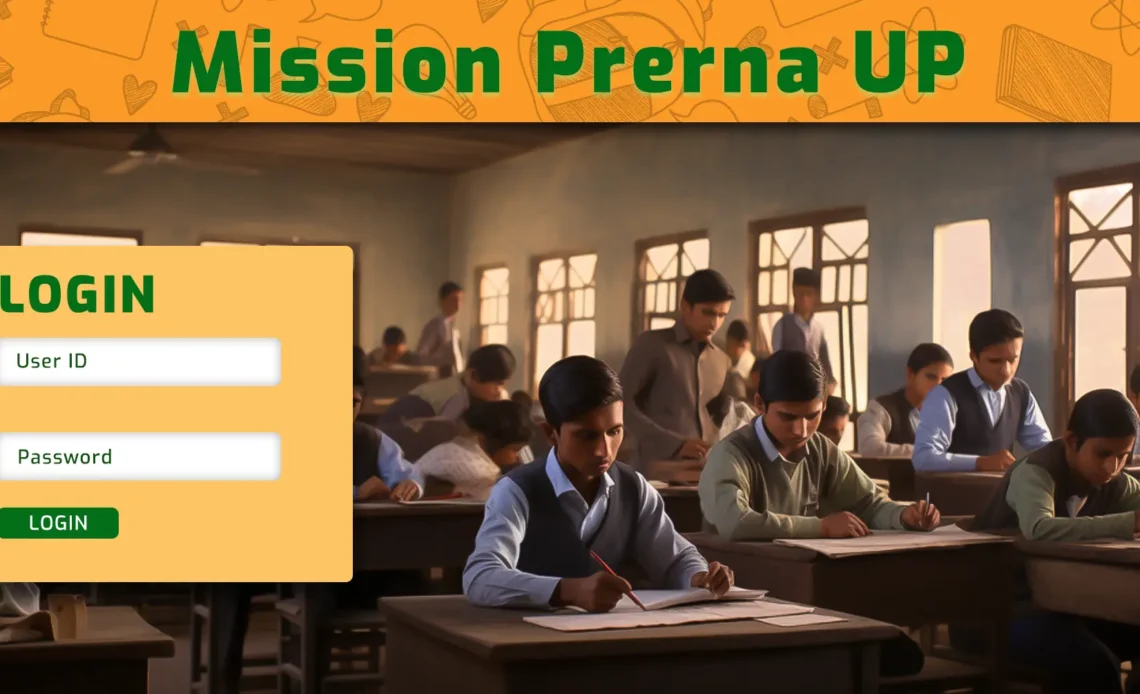
In today’s fast-evolving educational landscape, prerna up.in serves as a powerful innovation by the Government of Uttar Pradesh’s Basic Education Department. It centralizes the learning journey for students of Classes 1 to 5, empowers teachers, and facilitates real-time monitoring of educational outcomes under Mission Prerna. This in-depth article explains everything—from the portal’s core features and tools to its supporting apps and digital interventions—designed to elevate foundational learning.
1. What Is Mission Prerna and Why prerna up.in Exists
Mission Prerna is the flagship initiative aimed at attaining foundational literacy and numeracy for all elementary students in Uttar Pradesh. The goal: ensure that at least 80% of students in every school and block reach foundational learning levels and steadily transition into Prerak (inspiring) blocks, districts, and eventually a Prerak Pradesh. The prerna up.in portal is the digital dashboard—tracking daily attendance, assessment data, teacher activity, and learning outcomes under a unified, data-driven ecosystem.
2. Key Features and Tools on prerna up.in
A. Teacher Login Portal
- Secure login for educators to access:
- Attendance marking
- Daily learning trackers
- Student performance reviews and dashboards
- Uploading assessment data and reports
- Access to circulars, guidelines, and teacher resources
B. Student-Centric Modules
- Homework assignments, practice sheets, and digital lessons
- Self-assessment tools that help children reinforce reading, writing, and numeracy skills
- Multimedia content: audio stories, interactive tasks, visual aids
C. Prerna Mobile App Integration
- Accessible on smartphones and tablets
- Mirrors much of the portal’s core functionality:
- Attendance, assessments, learning analytics
- Real-time data sync to central dashboard
- Offline access with auto-sync when connectivity is restored
D. Mission Prerna Dashboard
- Visual dashboards for administrators showcasing:
- School-level performance metrics
- Attendance rates, learning outcome percentages
- Trend analysis and status of Prerak zones
E. Direct Benefit Transfer (DBT) System
- Transparent tracking of funds:
- Teacher incentives, school grants, training expenses
- Ensures efficient disbursement and real-time visibility of financial flows
3. How to Use prerna up.in: Step-by-Step
A. Login as a Teacher
- Input your teacher credentials provided by the department
- Dashboard displays key menu sections: Attendance, Assessments, Circulars, Reports
- Maintain data accuracy with daily entries
B. Upload School / Bank Data for DBT
- Navigate to the DBT module
- Upload required files (e.g., banking details, incentive sheets) in prescribed formats
- Submit for verification—admin approval ensures smooth fund transfer
C. Use of the Prerna App
- Download via official app store (as per government guidelines)
- Sync with portal login for authentication
- Use offline mode if necessary; the app syncs with portal when online
D. Monitoring and Reporting
- Head Teachers and administrators monitor:
- Attendance trends
- Learning progress across grades 1 to 5
- DBT status and school performance metrics
4. Benefits of prerna up.in for Stakeholders
| Stakeholder | Benefits |
|---|---|
| Students | Access to structured learning, self-evaluation, better foundational skills |
| Teachers | Integrated tools for assessments, record-keeping, and content access |
| Administrators | Real-time dashboard, easy data analytics, transparent funds tracking |
| Policymakers | Insight into performance, gaps, and progress across districts and blocks |
5. Common Challenges & Best Practices
- Connectivity Issues
- Use the app’s offline mode; sync data whenever internet access is available.
- Data Entry Accuracy
- Maintain consistency with codes, dates, and class sections; cross-verify before submission.
- Technical Support
- Utilize help-desk numbers or support tickets as provided on the platform.
- Capacity Building
- Attend training sessions or webinars for best usage practices and portal updates.
6. Tips to Maximize prerna up.in Usage
- Set Daily Entry Routines: Mark attendance and upload assessments consistently to maintain dashboard accuracy
- Compare Trends Over Time: Use dashboards to identify areas needing attention or improvement
- Engage with Resources: Download circulars and training modules to stay updated with evolving practices
- Ensure DBT Accuracy: Double-check financial uploads to avoid payment delays
- Foster Collaborative Learning: Share effective strategies across teachers and schools using portal insights
7. Real-World Impact: Outcomes & Insights
While we won’t reference specific data sources here, reports consistently highlight improvements in early reading and numeracy rates, positive feedback from teachers on usability, and faster processing of incentive payments through the system—all contributing to better educational outcomes in targeted regions. Integrating digital tools like prerna up.in into existing education frameworks improves accountability, visibility, and overall effectiveness of foundational learning programs.
8. Summary & Looking Ahead
prerna up.in is not merely a website—it’s a comprehensive digital infrastructure fostering high-quality foundational learning across Uttar Pradesh. By linking teachers, students, administrators, and policymakers through interoperable modules, the portal enhances accountability, transparency, and resource delivery at every level. As it continues to evolve—potentially incorporating features like parent portals, AI-driven analytics, or teacher peer networks—it remains central to realizing Mission Prerna’s goals statewide.
Frequently Asked Questions (FAQ)
Q1: Can students directly access prerna up.in for self-study?
Students primarily engage via pre-loaded content on the Prerna App. Full portal access is designed for teachers and administrators.
Q2: What if I forget my login credentials?
Contact your school administrator or support team to reset your credentials securely—password recovery features may also be available in-portal if enabled.
Q3: How is the data protected on prerna up.in?
Robust authentication and role-based access permissions safeguard data. Regular audits and secure hosting ensure integrity and privacy of information.
Q4: Which file formats are accepted for DBT uploads?
Typically formats like Excel (.xls/.xlsx) or CSV are accepted. Always follow the portal’s prescribed template to avoid rejection.
Q5: Can multiple teachers access the portal from the same school simultaneously?
Yes. Every teacher has unique login credentials, allowing concurrent access and collaborative data entry.
Q6: How often is assessment data updated in dashboards?
Dashboards typically update in near real-time, especially when using the mobile app. Portal syncs efficiently to reflect fresh data.
Q7: Is training available for new teachers on using prerna up.in?
Yes. The education department regularly organizes training sessions, webinars, and refresher courses. Check the portal’s circular section for upcoming sessions.